
Topics are like smart labels that help organize your forms in the iTacit Library. By tagging each form with one or more topics, you make it easier for employees to find what they need, fast.
Example scenario: You’ve created a “Workplace Injury Report” form. To make it easier for safety officers to find, you assign it the topic Safety & Compliance. Now, when users filter the Library by topic, this form will appear under that category.
Assigning a Topic to a Form
1. Go to Menu > Library > Form Library Items
2. Select the Library Item you want to edit
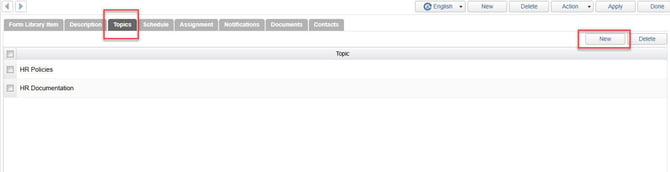
3. Click on the Topics tab within the Form Library Item configuration
4. Click New
5. Choose one or more relevant topics > Click Select
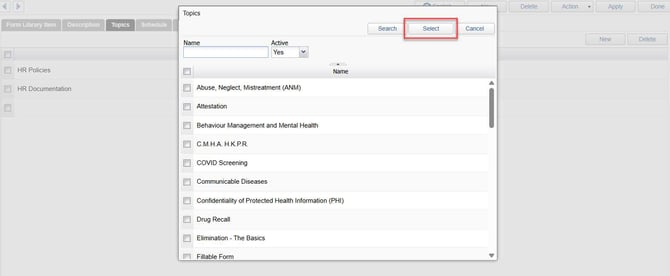
6. Click Apply to save your topic selection