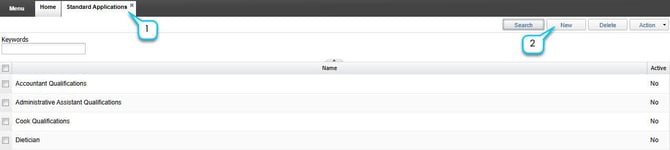
Once Standard Questions are created, they may be added to a standard form. This form may then be used in Standard Applications. Like standard questions, standard forms may be copied and used across career postings.
- In the iTacit Admin site, navigate to Menu > Recruiting & Onboarding > Application Forms > Standard Forms.
- Click New.
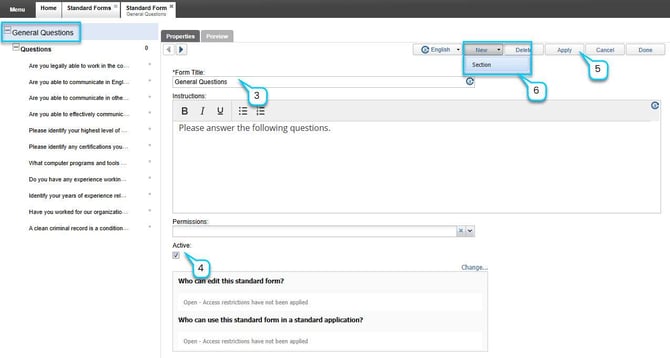
- Enter the Form Title and Instructions.
- Check the Active box to make the form available.
- Click Apply to save changes.
- Add a Section by selecting New > Section.
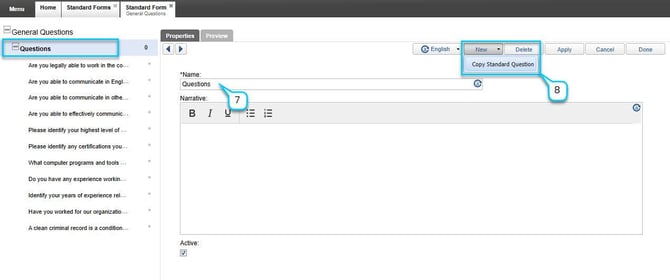
- Enter the section name and narrative. Save changes by clicking Apply.
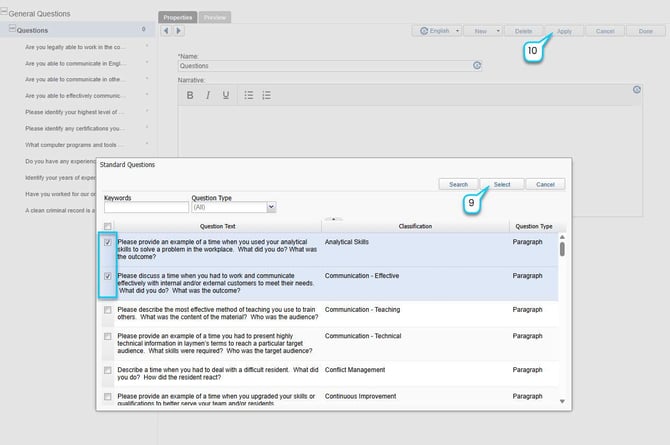
- Within the section, add questions by selecting New > Copy Standard Question.
- Search for and select the desired standard question(s) from the list. Use checkboxes to select more than 1 standard question. Click Select.
- Click Apply after each addition.
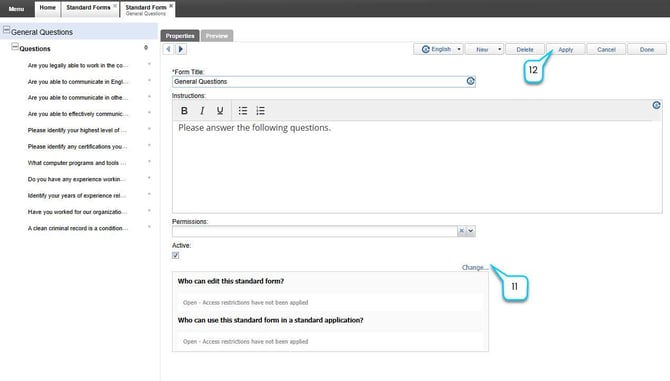
- Set Permissions to control who can view or edit the form.
- Click Apply again to save your standard form.