Specific permissions are created which can be utilized when creating activities in the activity template. A data bank of reusable permissions may be created here.
1. Select Menu > Recruiting & Onboarding > Activity Template Permissions.
2. Select New.
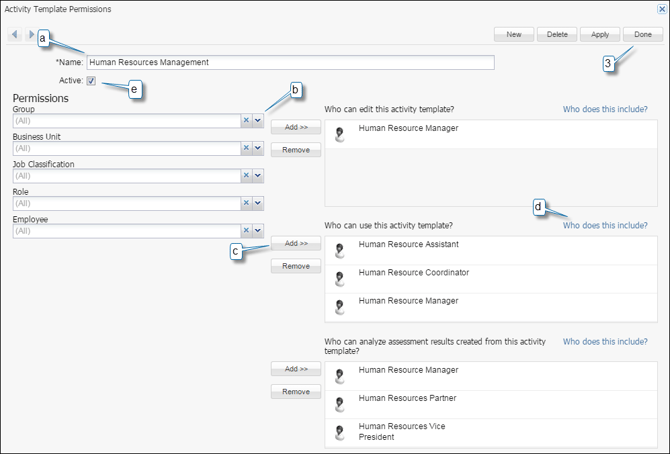
a. Enter the Name of the permission group.
b. Search for the desired Group, Business Unit, Job Classification, Role and/or Employee.
c. Select Add to be add your selection to the desired section.
d. Select Who does this include? to view the names of employees included in the desired section.
e. Place a checkmark in the box by Active.
3. Select Done.
If you accidentally add the wrong individual or group(s) select the individual or group then select Remove.