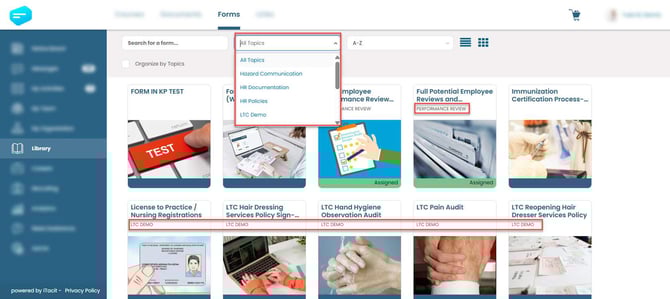
As your form library grows, keeping things organized becomes essential. That’s where Library Topics come in. Topics act like smart labels that help users quickly find the forms they need - whether it’s for HR, Safety, IT, or any other department. Think of topics as folders or categories that group related forms together. They make browsing easier and improve the employee experience by reducing search time.
To create or manage Library Topics, you must first log in to the iTacit Admin Tools app. This is where all configuration and form-building tools are located.
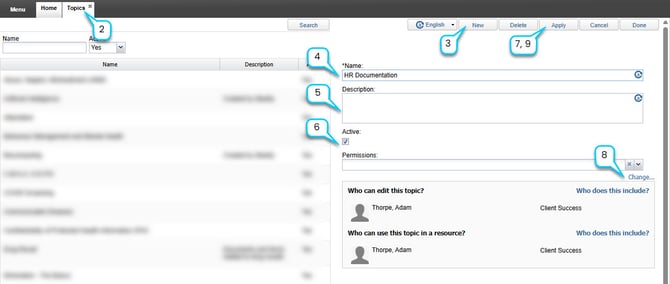
1. Open the Admin Tools app from your iTacit navigation menu
2. Navigate to Menu > Library > Configuration > Library Topics
3. In the Topics screen select New.
4. Enter a Name (e.g., “Health & Safety”)
5. Optional: Enter a Description for the Library Topic.
6. Check the Active box to make the topic available for use
7. Select Apply
8. Choose a predetermined permission group by selecting the dropdown option by Permissions OR select Change... to set access permissions without a predetermined permission group.
9. Select Apply to save changes.