1. Log in to the iTacit Admin site.
2. Navigate to Menu > Training > Transcript Manager.
3. Click New > Create Transcript(s) for External Training.

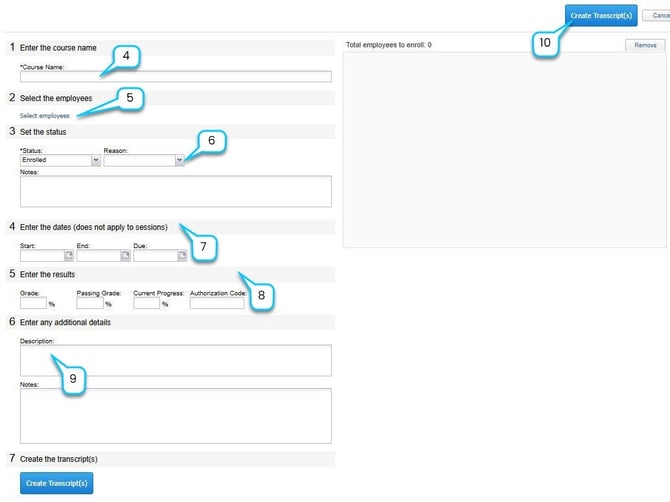
4. Manually enter the course name in the Course field.
5. Select Employees
-
Click Select Employees to choose one or more employees.
-
Use filters such as name, role, business unit, or job classification.
-
Selected employees will appear in the Total employees to enroll box.
6. Choose the appropriate status (e.g., Completed, Enrolled, Withdrawn).
7. Enter start and end dates for when this course was taken.
8. Enter employee's grades, if available.
9. Enter any additional notes and details, if available.
10. Click Create Transcript(s) to finalize the entry.