1. Select the desired career posting and navigate to the Description section.
Creating a Link
2. To insert a link:
a. Highlight the desired text.
b. Select the Insert/edit link button.
c. Enter the web address in the Url text box.
d. Enter the Text to display that will be visible in the news article.
e. Select Ok
3. Select Done to save

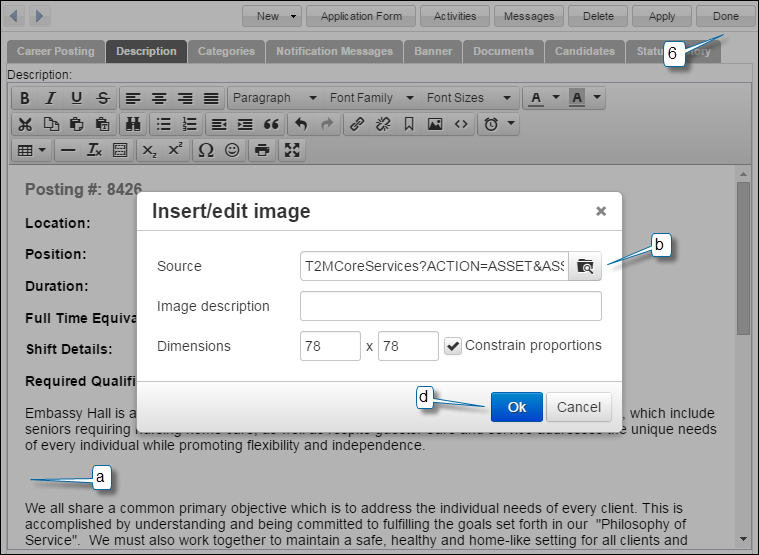
Inserting an image
4. Place your cursor where you would like the image to appear:
a. Select the Insert/edit image button.
b. Select the Browser button to the right ot the Source option.
c. Enter an Image description.
d. Select Ok.
5. Select Done to save.