
If a form was assigned in error or contains test data, you can delete it permanently. Use this feature sparingly - deleted data cannot be recovered.
-
Log on to iTacit Admin site as an Administrator
-
Navigate to Menu > Library > Form Submission Manager
-
Use the Search Filters to locate a submission you want to delete
-
Click Search
-
Use the checkboxes to select one, several, or all matching submissions.
-
Click Delete
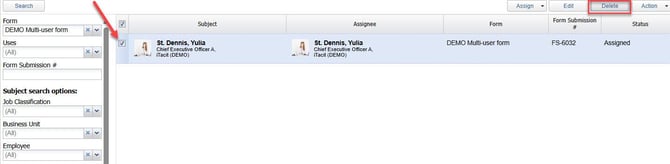
You’ll be prompted to confirm the deletion by typing in the word 'DELETE'. Once deleted, the data is gone permanently.

Additionally, you can delete individual submissions by clicking on one of the submissions. In the General tab, click Delete to delete selected submission.
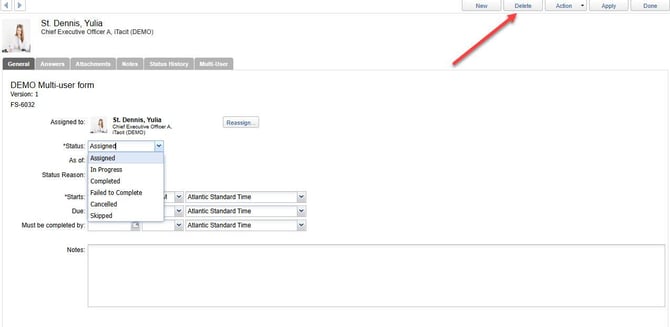
If the form was submitted by a real user or contains meaningful data, consider changing the status to Canceled instead of deleting it.