- Log in to iTacit Admin
- Navigate to Menu > Library > Form Library Items.
- Select a form and ensure “This form is about someone else” is enabled.
- Click the Security… button next to that field.
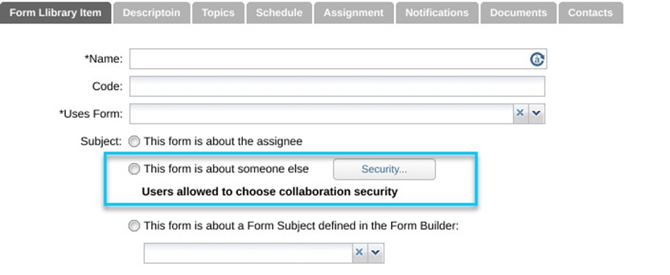
- In the popup, choose one of the following:
- Only allow users to select employees they can see as subjects
- Allow users to select employees they can collaborate with as subjects (less restrictive security)
- Click OK to apply the setting.
English