Sometimes a form is assigned in error or needs to be marked as canceled or completed manually. The Form Submission Manager allows you to update the status of one or more submissions without deleting them.
-
Log on to iTacit Admin site as an Administrator
-
Navigate to Menu > Library > Form Submission Manager
-
Use the Search Filters to find submission(s) you want to update
-
Click Search
-
Use the checkboxes to select one, several, or all matching submissions.
-
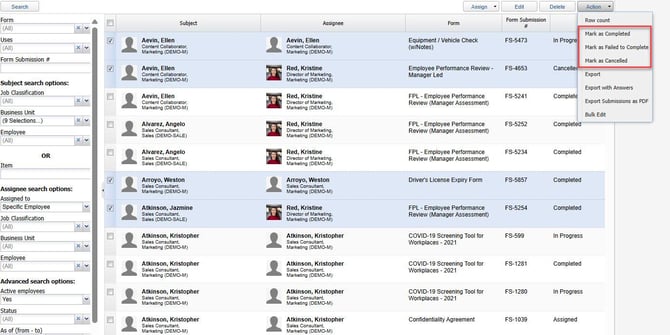
Go to Action > select a new status (Mark as Completed, Marked as Failed, Marked as Cancelled)
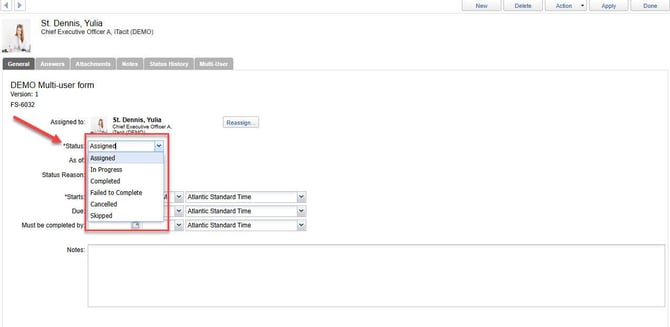
You can also change the status for individual submissions by clicking directly on them. In the General tab, click on the Status drop-down and select a new status.